
Organize and keep your chats with  Pine
Bring in the conversations you've exported from AI chat apps, then read, search and shape them into something worth keeping: notes, highlights, chapters and docs, all on your device.
Import
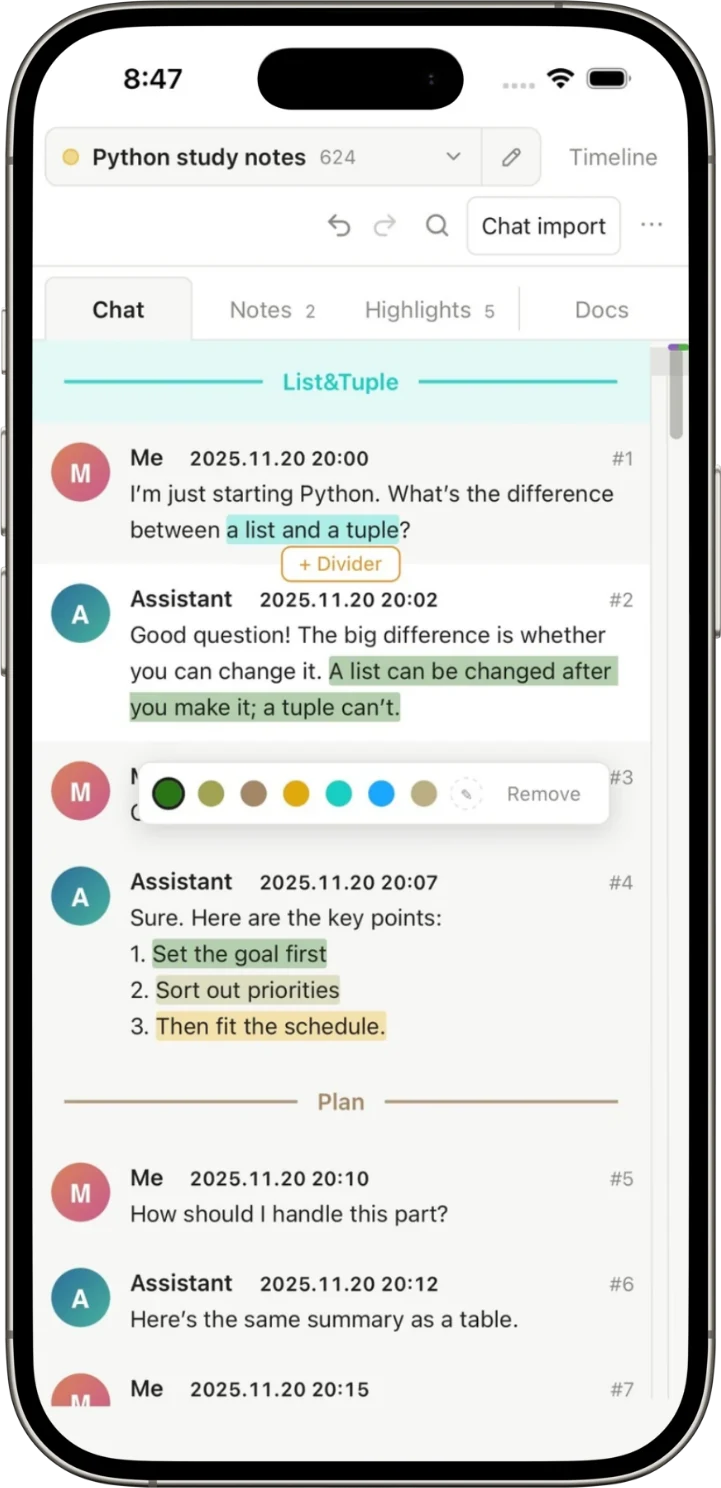
Drop in a JSON file. We'll handle the rest.
Pine looks inside your export, finds the list of messages and reads who said what, and when.
- Works with JSON and JSONL exports, including niche chat apps
- Pick which chats to bring in when a file holds many
- Add new messages to a chat you already imported. Pine merges them in place and keeps your notes
Organize
Organize your chats your way
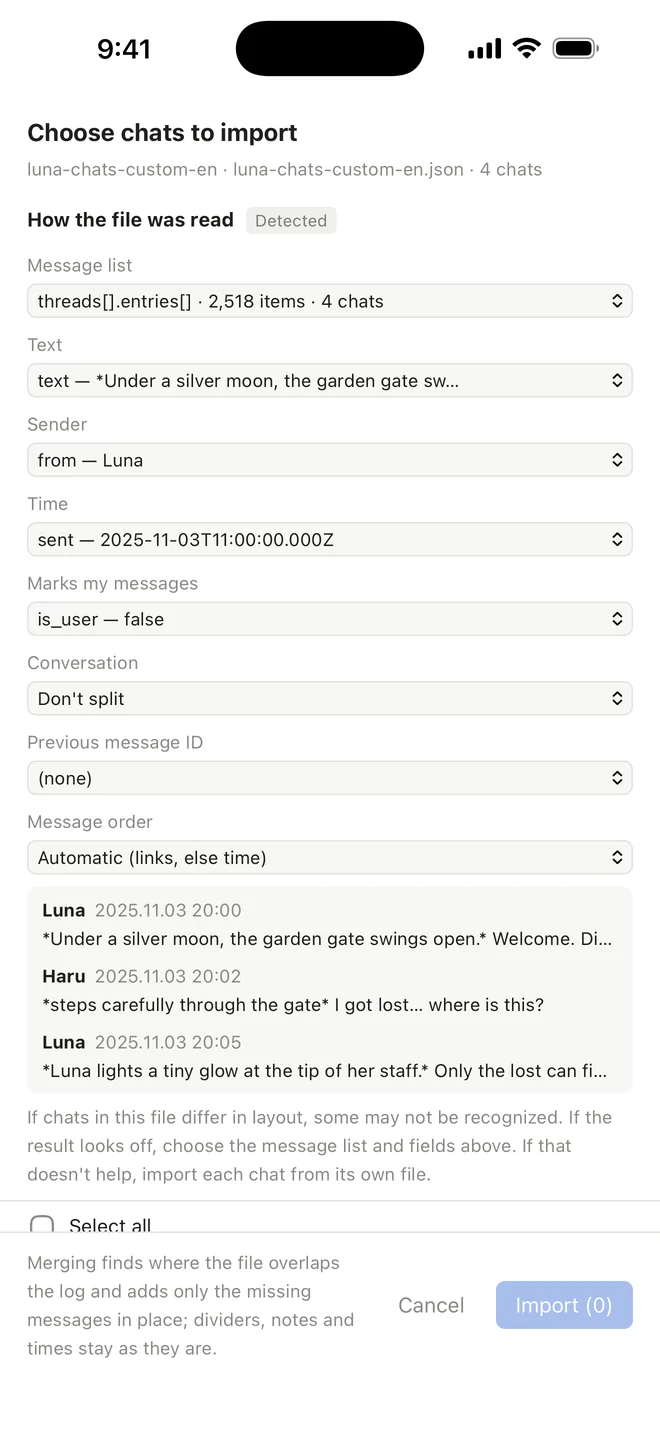
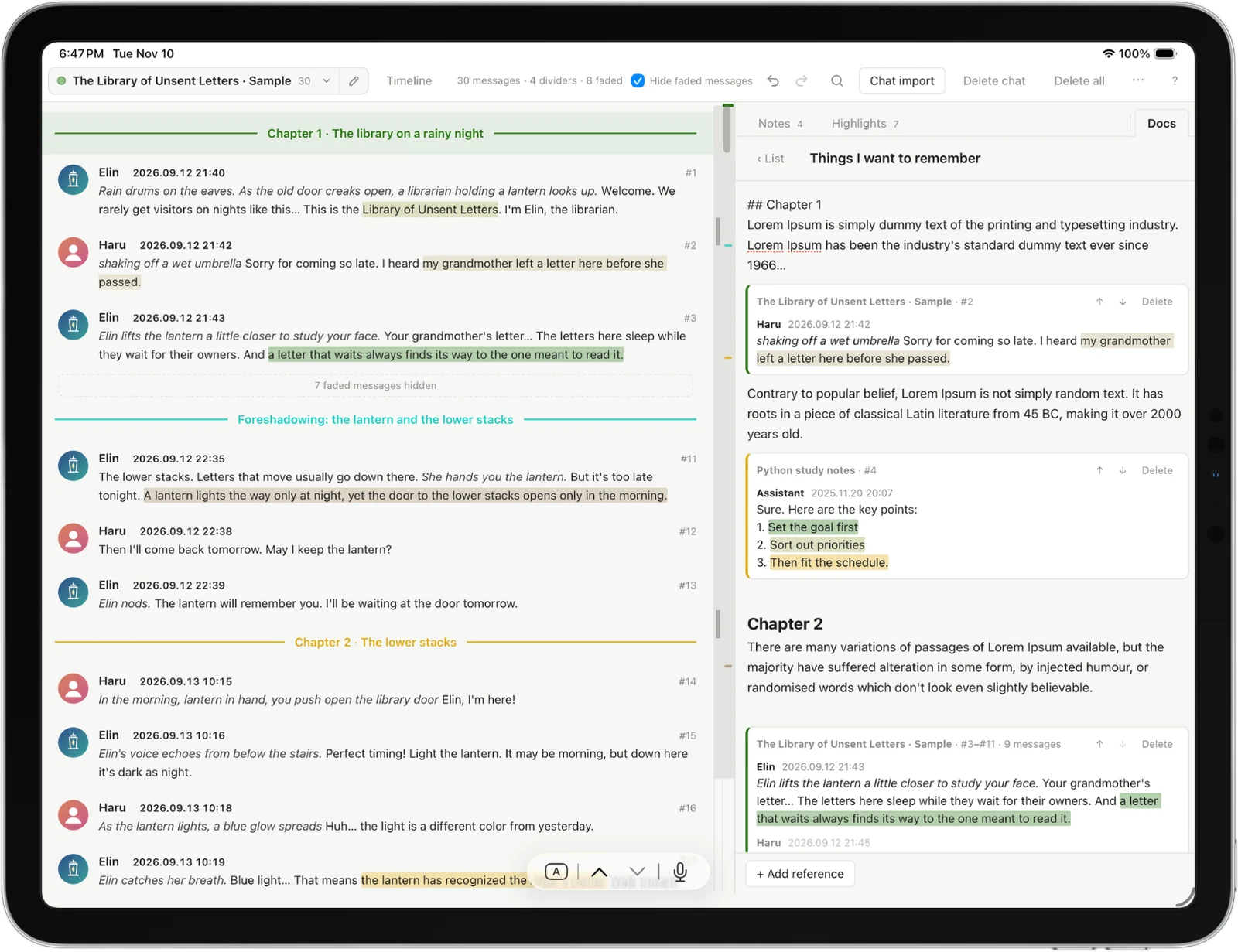
Notes, highlights and dividers sit right next to the conversation, and each gets its own tab so you can find them again. Open a doc beside the chat to write while you read.
- Chapter dividers for long stories and study sessions
- Highlights in your own palette
- Docs that quote messages straight from the chat
- Hide faded messages to read only what matters
Timeline & calendar
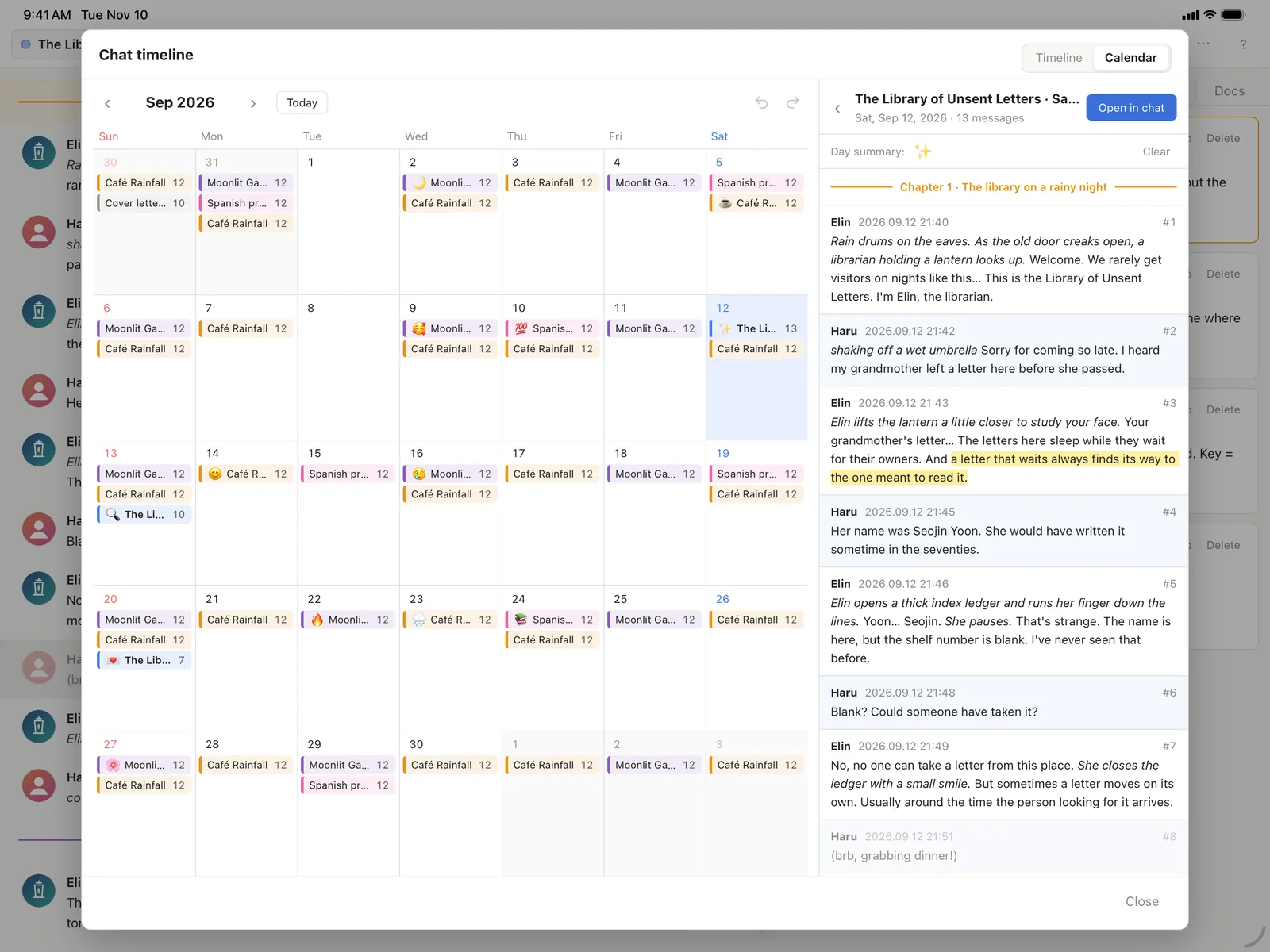
See every chat on one timeline
Switch to the calendar to browse your chats day by day, then open a day's messages right in the chat.
Themes
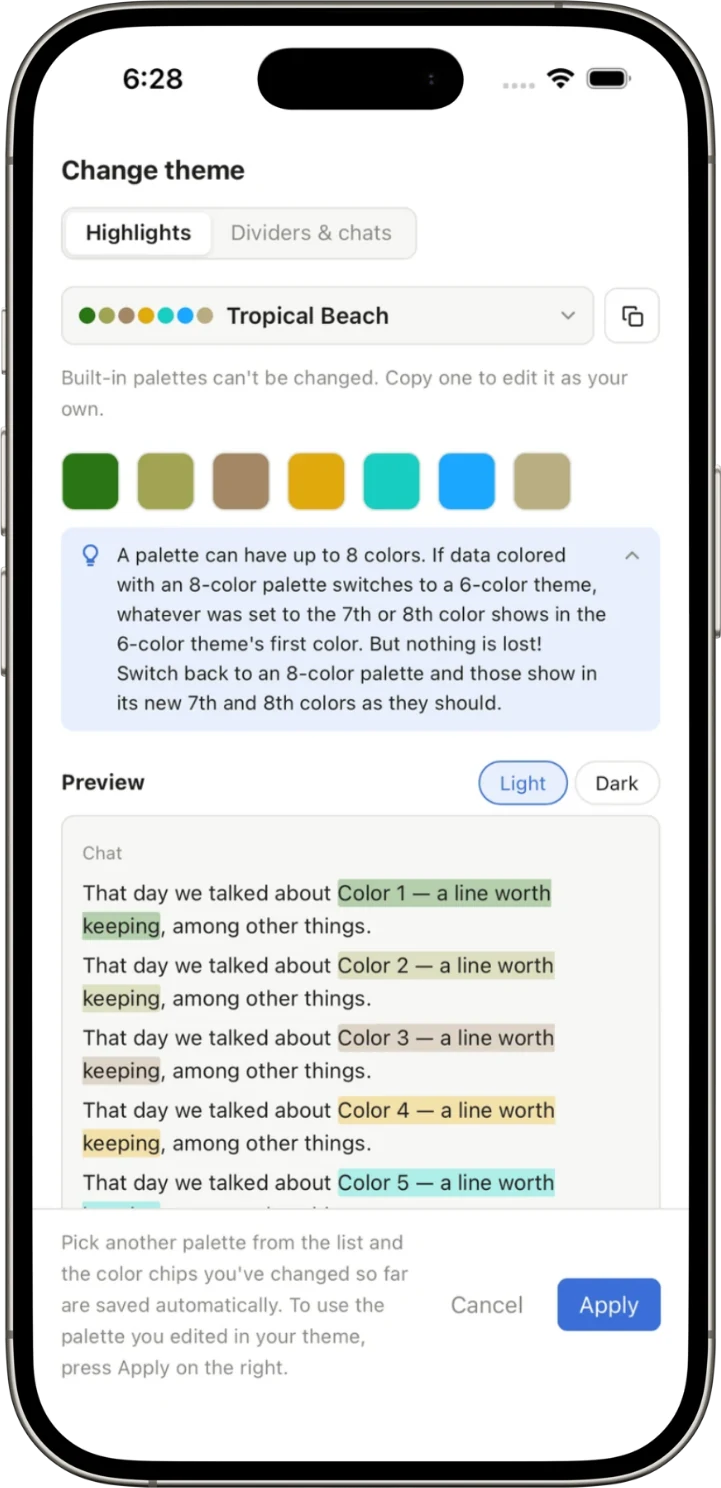
Create a custom theme in any color
Start from a built-in palette or make your own for highlights, dividers and chats. Preview it in light and dark before you apply.
Features
All your AI chats, on one shelf
Long conversations deserve more than an endless scroll. Pine turns them into a library you can browse, annotate and come back to.
Import with one tap
Drop in a JSON or JSONL chat export. Pine finds the messages, senders and times for you, even from niche chat apps.
Notes, highlights & dividers
Mark the lines that matter in your own colors, split long chats into chapters, and leave notes beside any message.
Docs that quote your chats
Write your own documents and pull in messages from any chat as quotes, so your thoughts and sources live together.
One timeline
See every chat you've had laid out across time. Hundreds of chats? No problem.
Day-by-day calendar
Look back at what you talked about on any given day, and jump straight to that spot in the chat.
Private by design
No account, no servers, no tracking. Your chats are read and stored only on your device.
Privacy
Your chats stay private
Pine doesn't collect, transmit or share any of your data.
The developer can't see your chats.
Questions or ideas?
Get help, report a problem or suggest a feature. We reply within 1–2 business days.